
Clear the ghost accounts quietly padding your member count.
When someone deletes their Telegram account, they don't vanish from your groups — they linger as a nameless “Deleted Account,” still counted as a member. Limzo finds the ones it has tracked, shows you how many are left in your weekly admin report, and removes them all with a single tap — or automatically on Pro. Free on every plan.
- Free on every plan
- One tap in your weekly report
- Automatic on Pro

Night Market Traders
━━━━━━━━━━━━
📈 Activity
├ 💬 Messages:
1,240 (+12% vs last week)└ 👥 Active members:
86🧹 Cleanup
└ 👻 Deleted accounts:
918:00- 1Your weekly report counts them
- 2One tap removes them
- 3Gone from your member list
Finds the ghosts for you
You don't have to scroll a member list hunting for dead accounts. Limzo spots deleted accounts among the members it has tracked and keeps a running count, so cleanup is a decision, not a chore.
One-tap cleanup — or automatic
Your weekly admin report DM shows how many ghost members are left, with a single 🧹 button that removes them from the group at once — no kicking people one by one. Prefer zero upkeep? Pro and Ultra groups can switch on a recurring auto-clean that handles it quietly.
Honest member counts
With ghosts cleared, your member total and your analytics reflect real, reachable people instead of accounts that will never read another message — a truer picture of how big and active your community actually is.
Nothing to switch on.
- 01
Add Limzo as admin
One tap adds Limzo to your group. It asks for Ban users at install, the right it uses to remove members.
- 02
Wait for your weekly report
Limzo checks the members it has seen for accounts their owners deleted. The report DM, by default Sundays at 18:00 your group’s time, shows the count and a one-tap button.
- 03
Or let Pro do it
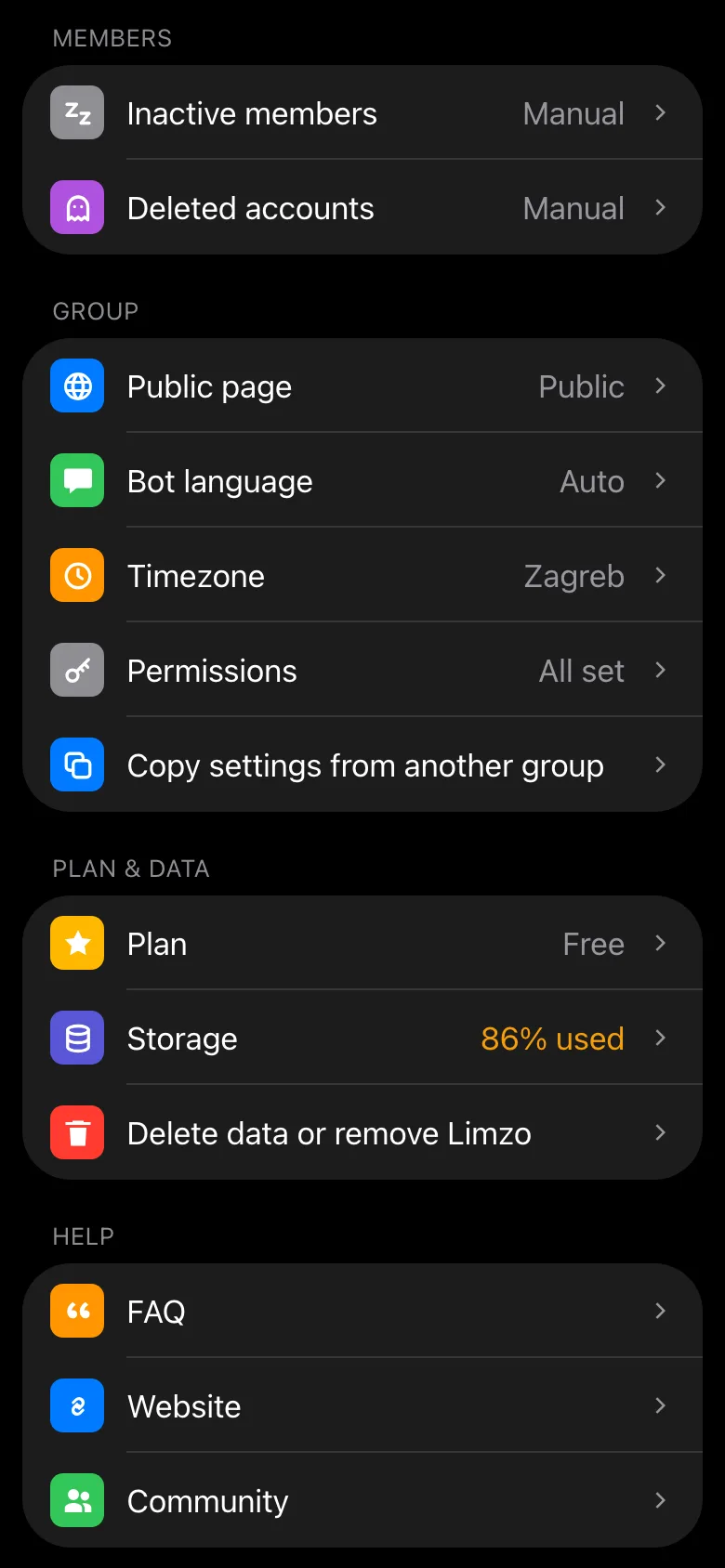
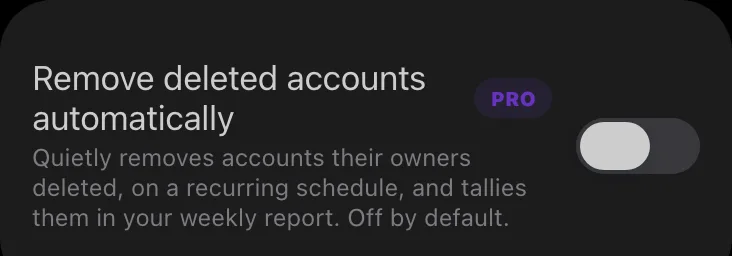
The Deleted accounts page in the Mini App has a switch that removes them on a schedule and tallies them in the report. It’s off by default.
Limzo Mini AppDeleted accountsRemove deleted accounts automatically
What deleted (ghost) accounts do to a group
Deleting a Telegram account doesn't remove the person from the groups they were in. They stay on as an anonymous “Deleted Account,” still counted in your member total. Over a couple of years an active group can accumulate dozens or hundreds of them.
They're harmless, but they're misleading: they inflate the member count you and prospective members judge the group by, and they quietly skew every per-member stat. Clearing them costs nothing and makes your numbers honest again — which is why Limzo surfaces them instead of leaving you to notice by hand.
Telegram is supposed to clear deleted accounts out of every group on its own. In practice that is slow and inconsistent — it can take days, and admins regularly report ghosts sitting in a group for months — which is why older and larger groups accumulate them rather than self-cleaning.
How to spot and remove them by hand
A deleted account is easy to identify once you know what to look for: it appears in the member list as Deleted Account, with a generic ghost-style avatar and no username.
On desktop — open the group, click the group name to show the member list, find the Deleted Account entries, hover over one and click the remove (✕) icon.
On mobile — open the group profile, go into the member list, long-press a deleted account and choose Remove.
Only admins can remove members, so you need admin rights either way. The catch is the obvious one: Telegram gives you no way to filter the member list for them, so in a group carrying hundreds of ghosts this is a long evening of scrolling. That is the part worth handing to a bot.
How Limzo's cleanup works
There's nothing to set up. As Limzo tracks activity it notices members whose Telegram account has since been deleted, and keeps a count. Your weekly admin report DM includes a 👻 line showing how many are left, with a one-tap 🧹 button that removes them from the group in a single action.
One honest limit, and it's Telegram's, not Limzo's: bots can't read a group's full member list, so the count covers members Limzo has actually seen — not necessarily every ghost that ever joined. The cleanup is part of keeping a group healthy alongside smart moderation and your community analytics.
Cleanup, not surveillance — an honest take
Ghost cleanup only ever flags accounts that Telegram itself marks as deleted. It never removes real members just for being quiet — an idle member is still a person who might come back, a ghost is an account that no longer exists. When you do want to clear out members who stopped taking part long ago, that is a separate, off-by-default tool under your control: inactive-member cleanup.
And the decision stays yours: out of the box, nothing is removed automatically — the count sits in your weekly report until you choose to act, and clearing it is a single tap. Pro and Ultra groups can opt in to an automatic recurring clean-up, and even then it only ever touches accounts Telegram itself marks as deleted, with every removal tallied in your weekly report.
Free to clear. Pro keeps it clean.
Seeing how many deleted accounts are left and removing them with one tap is free on every plan. Pro clears new ones for you.
Free
- Deleted accounts counted in your weekly admin report
- Removed with one tap
- Only accounts Telegram itself marks as deleted
Pro 600★ a month
- A recurring auto-clean that removes new deleted accounts quietly
- What it removed, tallied in your weekly report
- A year of history and 100,000 tracked messages a month
Pro is 600 Telegram Stars a month or 6,000 a year, paid inside Telegram. Upgrade any time: send /upgrade to @LimzoRobot. Compare plans
Common questions
What is a deleted or “ghost” account in Telegram?
How does Limzo remove deleted accounts?
Is deleted-account cleanup free?
Will it remove real inactive members?
Why can't it find every ghost account?

Try it on your own group.
Add Limzo, and this week your group gets its first highlights post, its first badges, and a public stats page worth sharing. Free plan included — Pro is 600 Stars a month when you need more.