
Keep your Telegram group in the language it actually speaks.
Pick the language your community runs in — with an optional “also allow English” switch — and messages clearly written in something else get a normal warning on the same fair ladder as every other rule. Cautious by design, off by default, and free on every plan.
- Free on every plan
- A warning, never an instant kick
- Optional: also allow English

Reason: please use this group's language: English18:22
- 1A message in another language
- 2Limzo removes it
- 3A first warning, not a kick
One language, your choice
Choose the language your group actually speaks. An optional toggle also allows English alongside it, which fits most international communities — everything else is treated as off-language.
Fair, never trigger-happy
An off-language message is removed and its sender gets a regular warning on the same ladder as everything else — never an instant kick. Enforcement escalates only at the limit you set, and admins and trusted users are always exempt.
Cautious by design
Short messages, names, emoji, links, mixed-language text and romanized chat all stay untouched. The lock only acts when a message is confidently in another language, so real conversation is not punished for a stray word.
Two settings in the Mini App.
- 01
Add Limzo as admin
One tap adds Limzo to your group. Give it the Delete messages right, so it can remove off-language messages.
- 02
Turn on moderation
Every Limzo setting is a switch in a Mini App inside Telegram. Moderation is off by default, and the language lock works once it is on.
Limzo Mini AppModeration - 03
Open Language lock
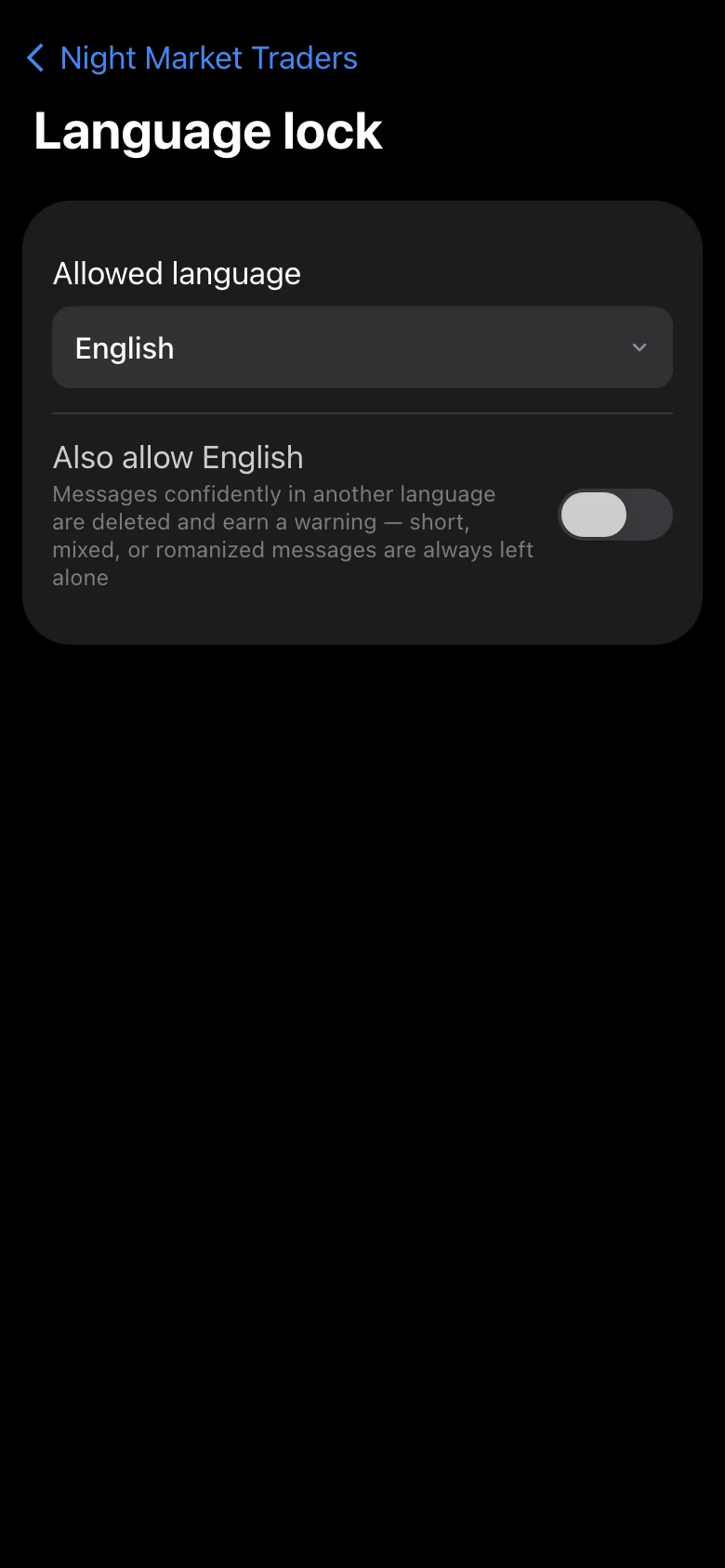
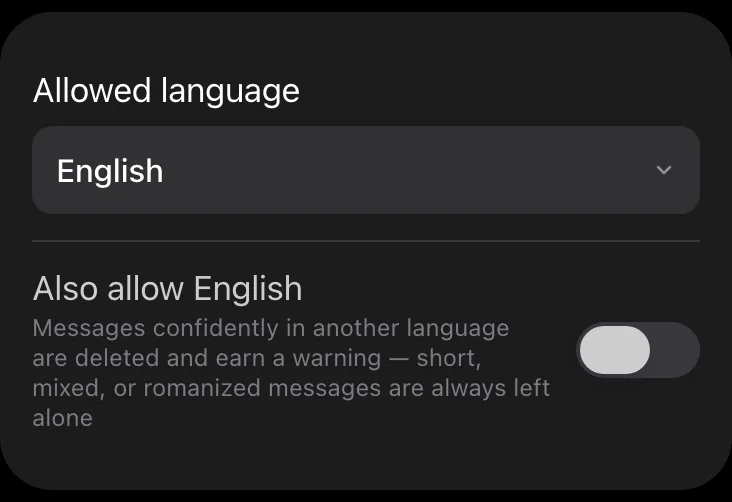
Pick your group’s language: the lock stays off until you do. Add “Also allow English” if your members mix in English. Admins and trusted users are never warned.
Language lockAllowed languageEnglish
Why lock a group to one language
Communities that run in Arabic, Persian, Russian, Indonesian, Turkish or any non-English language have a problem English-first groups rarely notice: waves of off-topic promo and spam arrive in other languages and scripts, and a chunk of it is not caught by word filters at all. It clutters the room and pushes out the members the group is actually for.
A language lock keeps the chat readable for the people who belong there. Instead of chasing every foreign-language spam message by hand, you set the language once and Limzo handles the rest — on the same fair warning system as your other rules, so nobody is surprised by an instant removal.
How Limzo's language lock works
It is off by default. Enable it in the Mini App under Language lock, pick your group's language, and decide whether to also allow English. From then on, a message that detection is confident is in a different language receives a regular warning; enforcement rides the same warn ladder as everything else, so it is a warning first and escalation only at the limit you choose.
Detection is deliberately careful to avoid false alarms: short messages, names, emoji, links, mixed text and romanized chat are all left alone, and admins and trusted users are exempt. The language lock is one layer of Limzo's smart moderation — it works alongside newcomer verification, the link safety scan, flood control, member warnings, the impersonator guard and the network shield.
A filter, not a wall — an honest take
The language lock is tuned to stay quiet unless it is sure. That means it deliberately will not act on very short lines, single foreign words, or chat typed in Latin letters — the price of almost never removing a legitimate message by mistake. If you want zero foreign-language text at any cost, no cautious detector can promise that.
It is also one layer, not your whole defense. Spam that happens to be in your group's language still needs the rest of the anti-spam suite — the link scan, flood control and network shield — running alongside it. Used together, they keep the room both on-language and spam-free.
Common questions
What is a Telegram language lock?
Is the language lock free?
Will it kick someone for a single foreign word?
Can I also allow English?
Does it detect romanized text (like Farsi typed in Latin letters)?

Try it on your own group.
Add Limzo, and this week your group gets its first highlights post, its first badges, and a public stats page worth sharing. Free plan included — Pro is 600 Stars a month when you need more.