
Community analytics you can actually act on.
Message counts don't tell you why a community lives or dies. Limzo surfaces the engagement signals community managers care about — and gives you the tools to act on them the same week.
- Weekly report on every plan
- Segments on Pro
- Counts only, no names

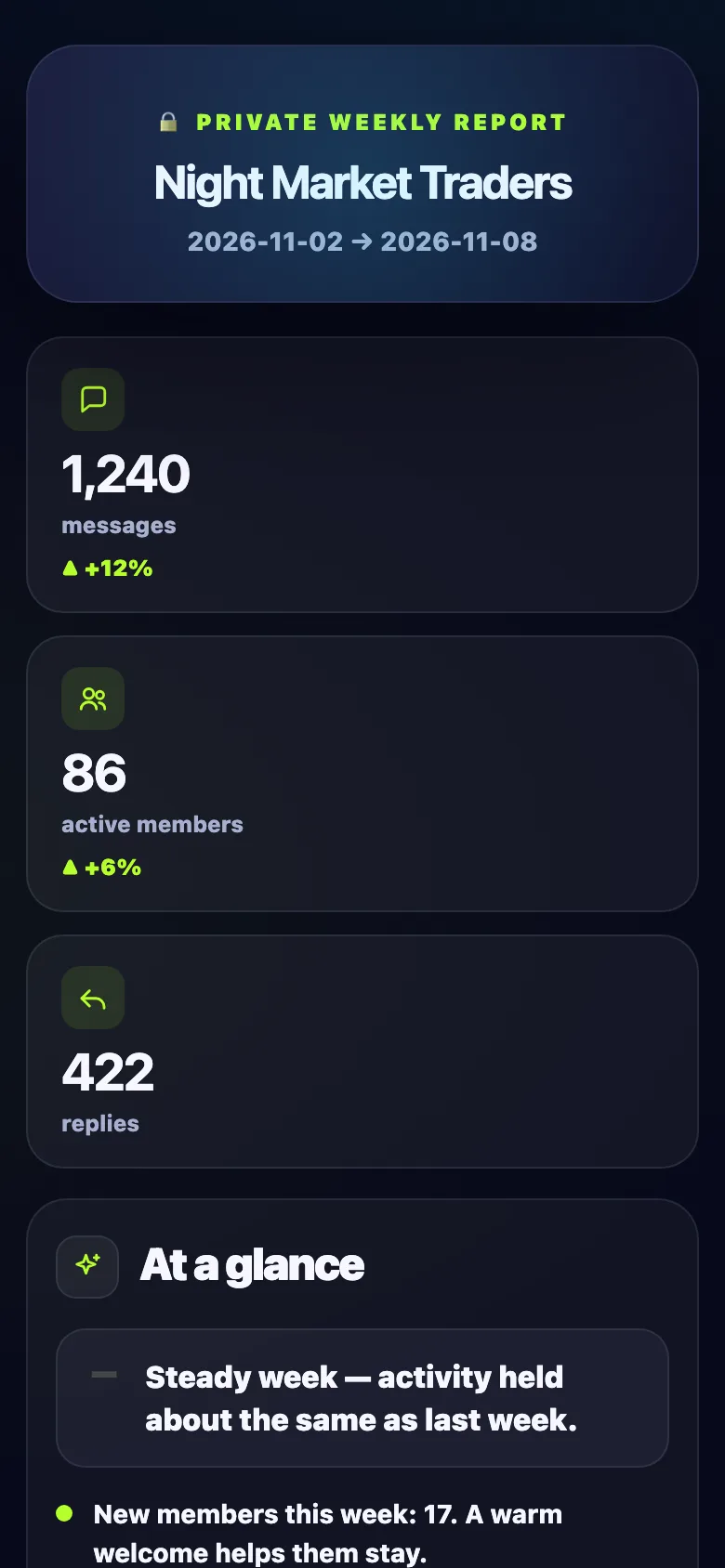
Night Market Traders
━━━━━━━━━━━━
📈 Activity
├ 💬 Messages:
1,240 (+12% vs last week)├ 👥 Active members:
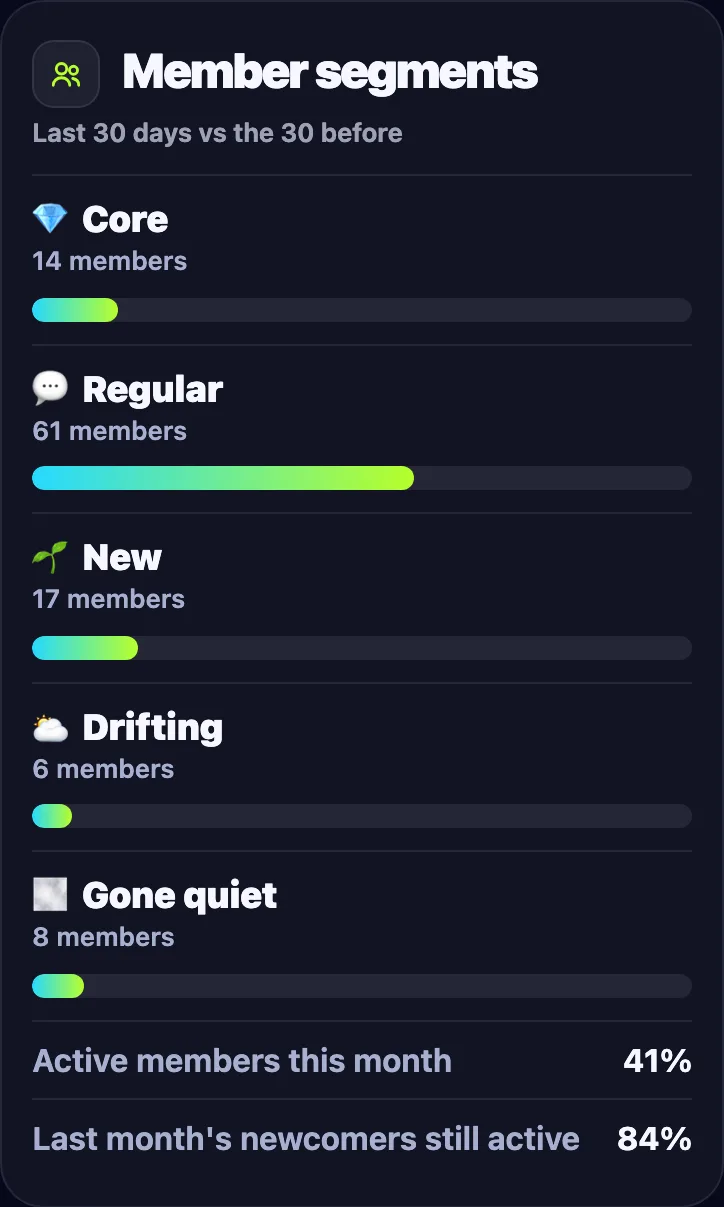
86└ 🧭 Core
14 · new 17 · drifting 618:00- 1Your weekly report arrives
- 2Pro adds member segments
- 3One tap opens the full report
Member-level insight
Who helps, who answers first, who starts conversations, who's about to become a regular — signals built from replies, reactions, and karma, not raw volume.
Engagement on autopilot
One weekly highlight post celebrates MVPs, new achievements, and the quote of the week — recognition that brings members back without you lifting a finger.
A recognition system
Levels, six badge tiers, and collectible achievements reward the behaviour you want more of. Quality participation earns status the whole group can see.
On from day one.
- 01
Add Limzo as admin
One tap adds Limzo to your group. From then on it counts messages, replies and active members; there is nothing to configure.
- 02
Pick the day, or open it now
The report arrives Sundays at 18:00 your group’s time. In the Mini App you can move it to any day and hour, or open this week’s report whenever you like.
Limzo Mini AppAdmin reportOpen my report - 03
Read the full report
Every plan gets headline numbers, top members, the week’s champions and peak hours. Pro adds the 13-week engagement trend, member segments (the last 30 days against the 30 before) and joins per invite link.
Metrics community managers care about
Beyond totals, Limzo tracks the texture of engagement: first responders (who answers fastest), conversation starters, reaction economy (who gives, who receives), chat couples, activity streaks, members speaking up for the first time, and time-of-day champions. These are the early signals of a healthy — or cooling — community.
Admins get the private view in a weekly DM report and can manage every group they run from one Telegram Mini App.
From insight to engagement
Insight without action is trivia. Limzo closes the loop: the members your analytics identify as valuable get karma, levels, and badges automatically; the group sees them celebrated in the weekly highlights; and the public stats page turns participation into shareable social proof that attracts new members.
That's the retention loop: recognition → engagement → growth — measured end to end.
Common questions
Can I manage several communities?
How is this different from a dashboard tool?
Can I export the data?

Try it on your own group.
Add Limzo, and this week your group gets its first highlights post, its first badges, and a public stats page worth sharing. Free plan included — Pro is 600 Stars a month when you need more.